Install a mobile app
DocuSeal Mobile App allows you to install the web application directly on your device, enabling quick access without needing to open a browser. Once installed, you can launch DocuSeal just like any other app from your home screen.
Notes:
- A stable internet connection is required for the app to function properly.
- The installation process may vary depending on your device and browser.
Installing DocuSeal mobile app on iOS (iPhone/iPad)
- Open Safari and go to docuseal.com.
- Tap the (Share) button at the bottom of the screen.
- Select Add to Home Screen.
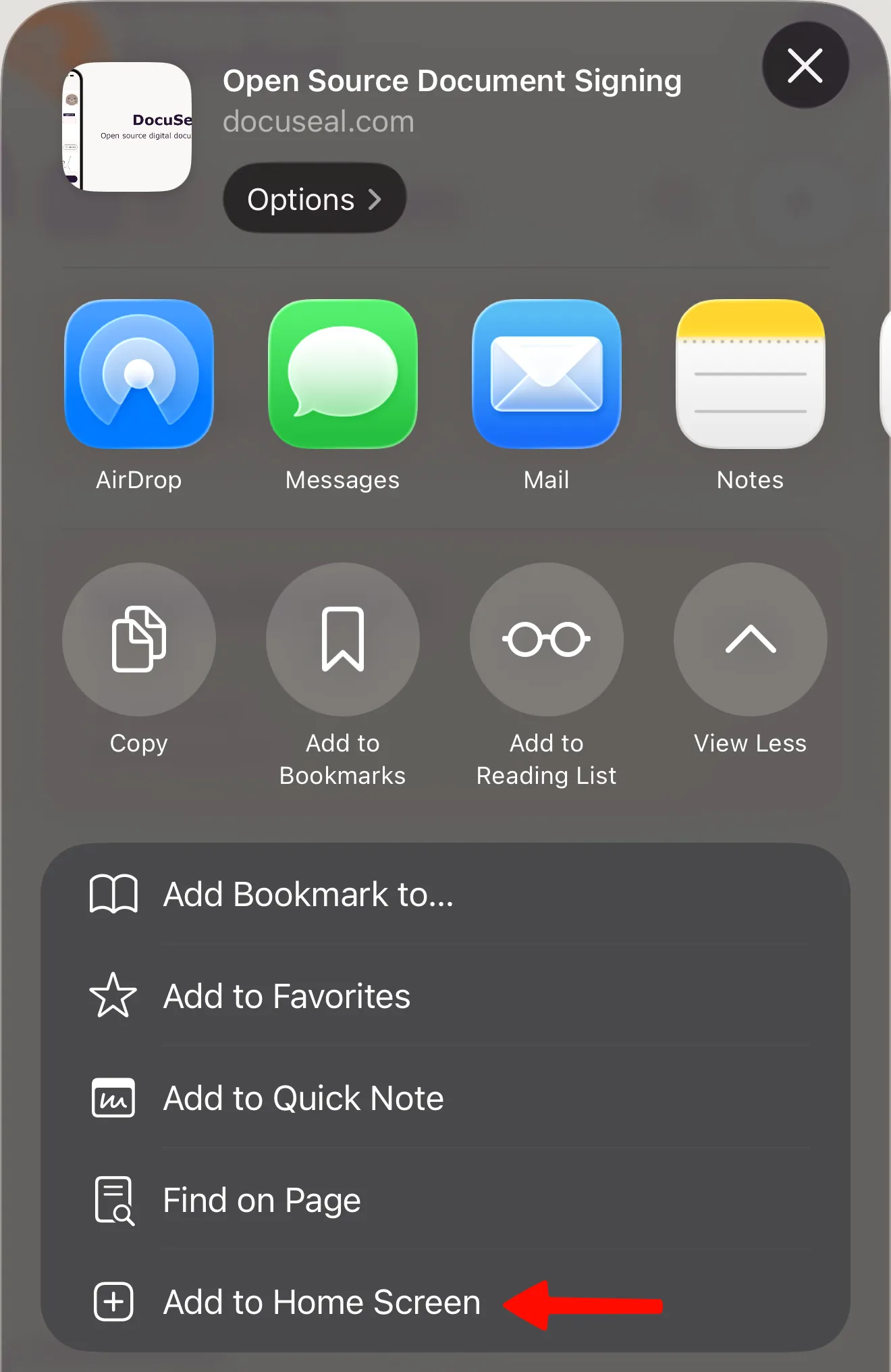
- Tap Add in the top-right corner.
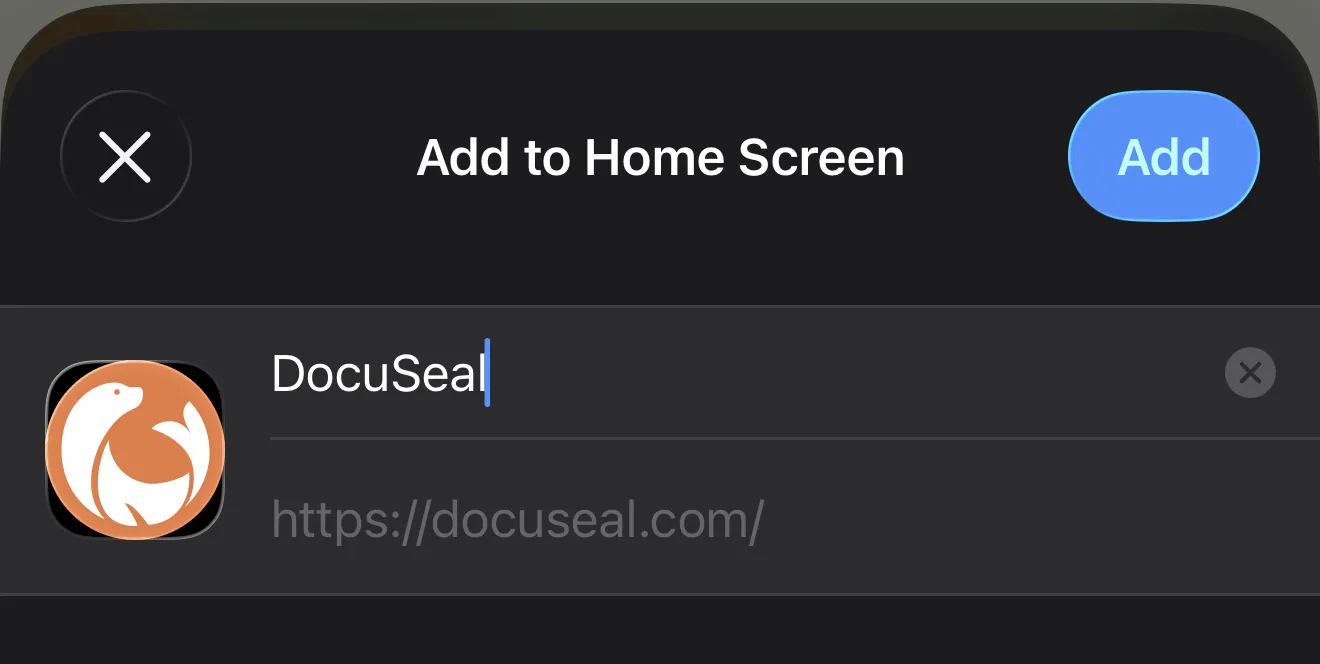
- Done! DocuSeal Mobile App is now installed and will appear alongside your other apps.
Installing DocuSeal mobile app on Android
- Open Google Chrome and go to docuseal.com
- Tap the (three-dot menu) in the top-right corner.
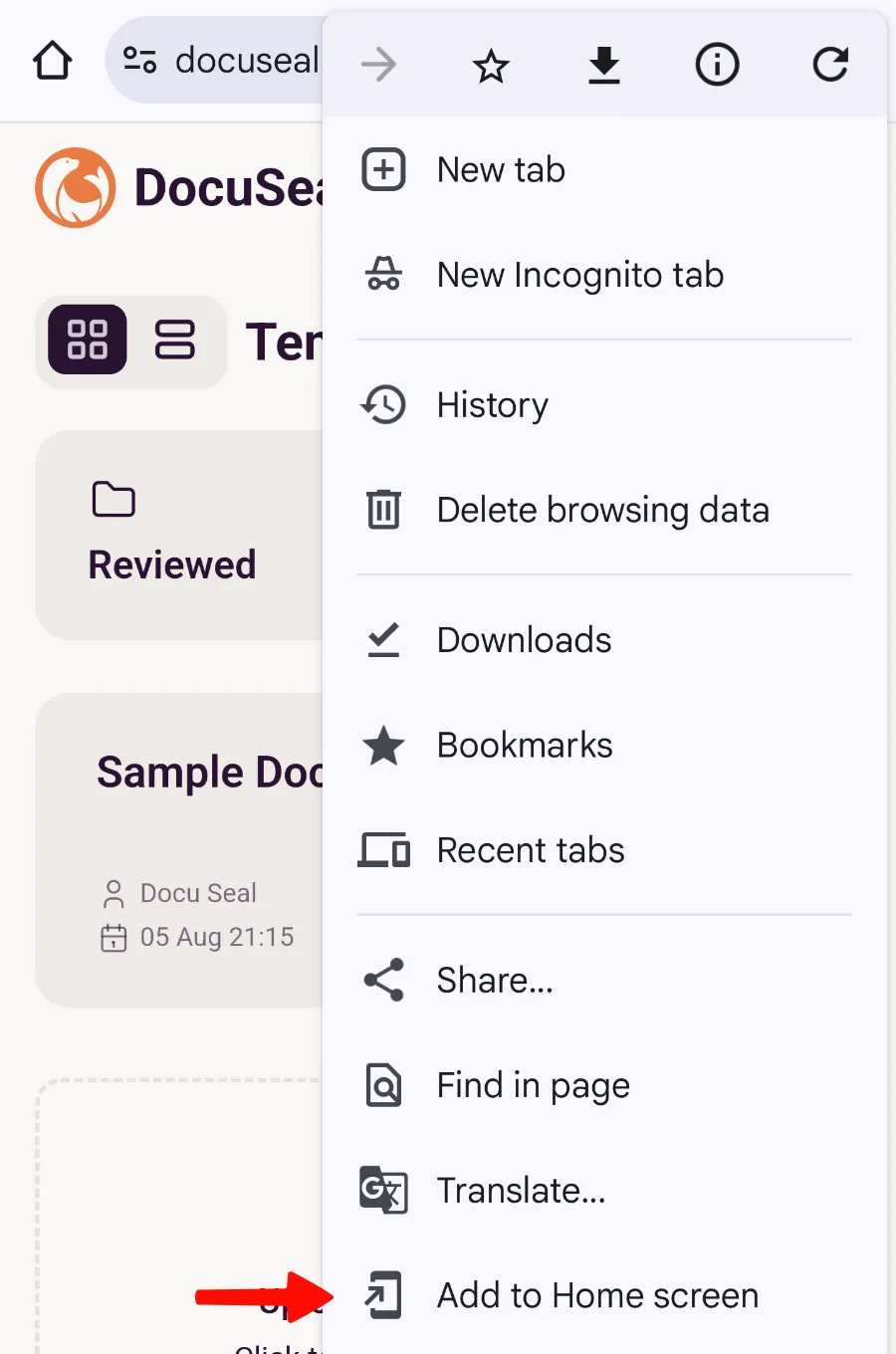
- Select Add to Home screen.
- In the pop-up window, tap Install.
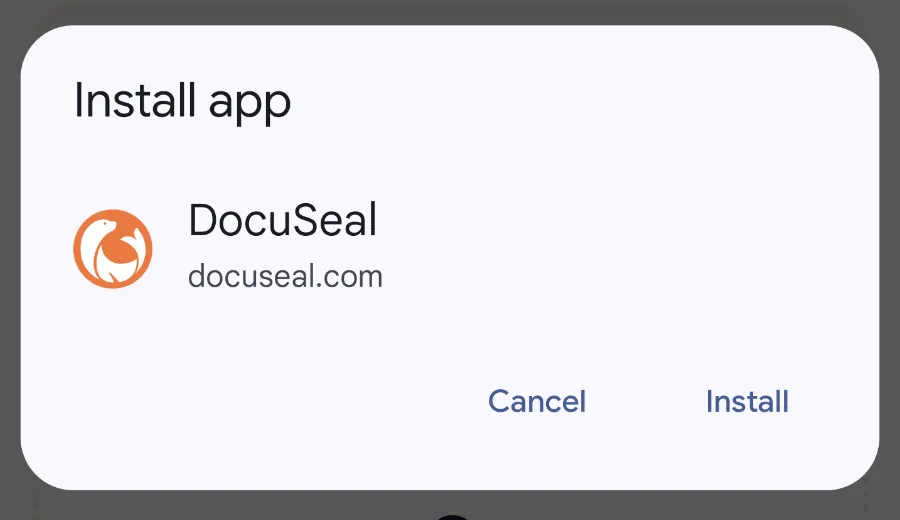
- That’s it! DocuSeal Mobile App is now installed and will appear alongside your other apps.